BenchDigit guides
Bench Multimeter Explained: A UK Buyer's Guide
BenchDigit editorial team · Updated 22 November 2026
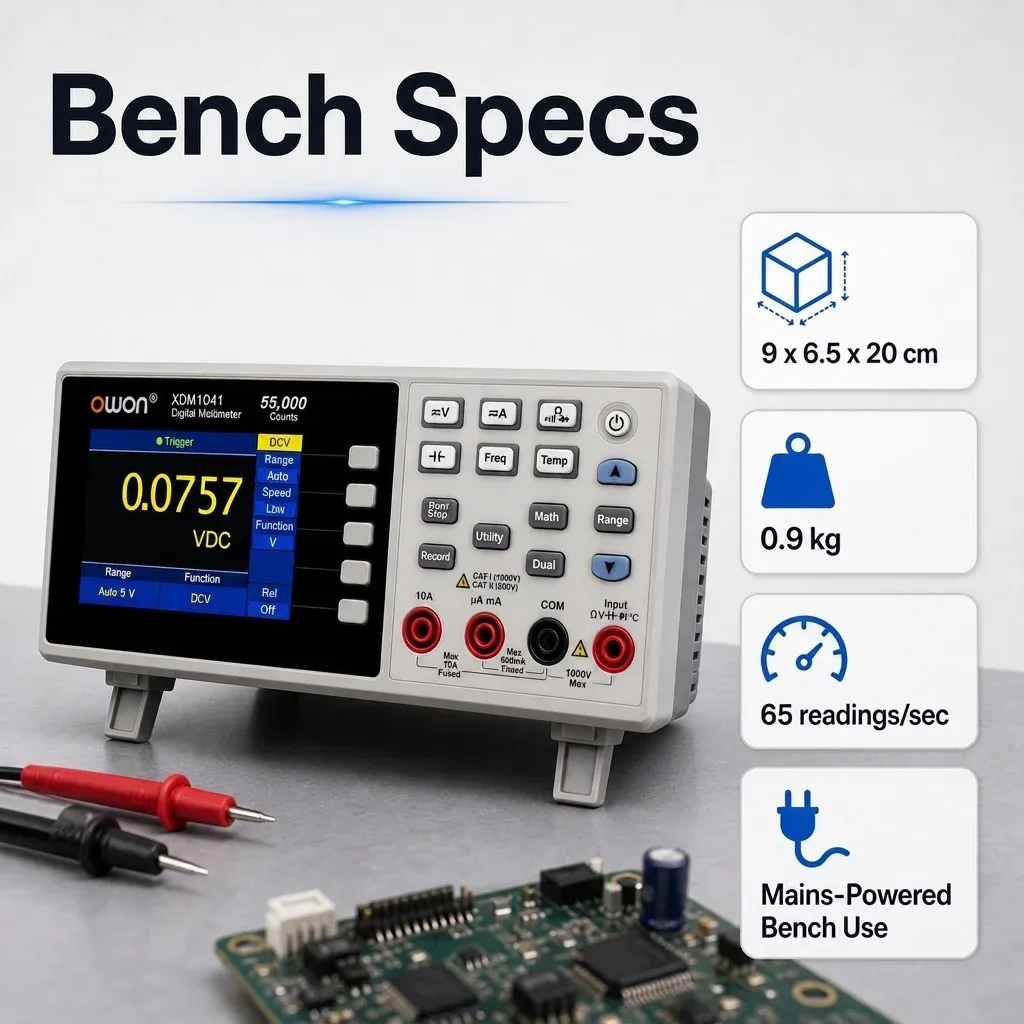
TL;DR: A bench multimeter is a mains-powered digital multimeter built to sit on a workbench, where higher resolution, stable readings, a dual display and PC control matter more than portability. For a UK repair bench it earns its place by catching what a quick handheld check misses — slow drift, a second parameter, and a record you can keep.
If you are searching for a bench multimeter, you are usually past the point where a pocket meter is enough. The classic case on an independent repair bench is a power board that random-reboots: on a quick handheld check every rail reads perfectly, then the fault reappears the moment nobody is watching the meter. A bench instrument is designed for exactly that problem — it stays put, resolves fine changes, and can log unattended.
What is a bench multimeter?
A bench multimeter (bench DMM) is a mains-powered digital multimeter designed for a fixed workstation in a lab, workshop or production area. Compared with a handheld, it typically offers higher count resolution, better basic accuracy, a larger and often dual display, and a data interface for logging and remote control. It trades portability for stability and repeatability.
Bench multimeter vs handheld: what actually changes?
A handheld is right for fieldwork and quick go/no-go checks. A bench meter is right when the measurement has to be trustworthy and repeatable. The three differences that matter most day to day: you can watch a main reading and a second parameter such as frequency at the same time, so you are not toggling ranges and missing the moment a fault shows; you get finer resolution to see a slow rail trim rather than guessing from a flickering last digit; and you can record. For the wider handheld-versus-bench decision across every meter type, see our digital multimeter UK buying guide.
Why choose a bench multimeter for repair work?
The single biggest win is unattended logging. When an intermittent board reads fine for an hour and then glitches, a bench meter that logs to a PC over USB captures the drift before the fault appears, so you have evidence to diagnose from instead of a memory of a number. That same record is useful when a customer questions what was checked.
Will an OWON XDM1041 hold an eight-hour voltage log, and when could the log miss a dip?
Use a time-stamped voltage log to investigate slow change on an isolated low-voltage board. For example, compare the supply voltage during a repeatable warm-up and after the load has settled. Keep the probe points, voltage range and load state in the record so a difference in the setup does not get mistaken for drift.
Match the interval to the event
If the suspected change lasts several seconds, choose a logging interval that gives several readings across it. Check the timestamps in an exported test log. The screen refresh and the file recording interval can describe different operations. A short dip can fall between two readings, so a steady-looking file can leave the brief event unresolved.
OWON lists a built-in capacity of 1,000 records for the series. An eight-hour run at one reading every ten seconds, including both endpoints, needs 2,881 records. At one reading every thirty seconds it needs 961. Check the recording mode and storage limit available on your unit. Use the log to describe the measurements it actually captured. OWON’s XDM1000 series data-logger and model specification.
For a reset that may be caused by a short dip, first log the longer trend and record when the reset occurs. Then use an appropriately rated oscilloscope and a trigger suited to the expected dip if you need its depth and duration. The existing bench multimeter collection identifies the bench meter. Check its actual logging controls and timestamps on the unit before committing to a capture interval. The guide to oscilloscope triggering explains how to capture a stable waveform.
For the UK model and current offer, see the OWON XDM1041 bench multimeter.
What features should you look for in a bench multimeter?
- Resolution (counts): more counts means a finer display. Be clear-eyed here — 55,000 counts is finer resolution, not a guarantee of accuracy on every range. Read the basic DC accuracy figure alongside it.
- True RMS: essential once you measure anything that is not a clean sine wave. See our true RMS multimeter guide for when it genuinely matters.
- Dual display: two parameters at once (for example voltage and frequency) cuts range-toggling.
- Logging and remote control: USB PC logging for long tests, and standard SCPI commands if you want scripted, repeatable measurements.
- Ranges and protection: confirm the input protection and per-range specification match the energy of the circuits you probe; a marketplace listing rarely shows the full accuracy table.
Is 55,000 counts enough for most UK bench work?
For general electronics repair, calibration checks and fault-finding, a 55,000-count meter with a solid basic DC accuracy figure is comfortably enough — the resolution lets you see small changes, and the accuracy figure tells you how far to trust them. Chasing ever-higher counts rarely helps if the underlying accuracy and your probing technique are the real limits.
Which bench multimeter should UK buyers consider first?
Match the instrument to the work: for most repair, R&D and lab benches you want True RMS, a genuinely useful resolution, a dual display and a logging/SCPI interface, backed by UK support. That is the class the OWON XDM1041 sits in, and it is the meter BenchDigit stocks for it.
The bench multimeter BenchDigit supplies: the OWON XDM1041
The OWON XDM1041 is the bench digital multimeter BenchDigit supplies for exactly this kind of repair work. It offers True RMS measurement, 55,000-count resolution, range-dependent DC accuracy, a dual display that shows two parameters at once, USB PC data logging for unattended tests, and standard SCPI remote control for scripted, repeatable measurements. It is £191.69 inc. VAT (£159.74 ex. VAT) with free UK delivery, a 12-month UK warranty with UK-based support, and current UK returns policy — so you can confirm the logging and resolution on your own bench, on a real intermittent board, before you commit.
Ready to stop losing intermittent faults to a handheld?
View the OWON XDM1041 Bench Multimeter — £191.69Frequently asked questions
What is a bench multimeter used for?
A bench multimeter is used for fixed-workstation measurement in repair, R&D, calibration and production, where stable, high-resolution readings, a dual display and PC logging matter more than portability. It is especially useful for catching intermittent faults by logging unattended over hours.
Is a bench multimeter better than a handheld?
Neither is simply better; they suit different jobs. A handheld wins for fieldwork and quick checks, while a bench meter wins when you need repeatable, higher-resolution readings, a second parameter on screen at once, and a logged record you can review later.
Do 55,000 counts make a bench multimeter more accurate?
No. Counts describe display resolution, not accuracy. A 55,000-count meter shows finer steps, but how far you can trust those steps depends on the basic accuracy specification, such as 0.05% on DC volts, and on your probing technique.
What does SCPI control add on a bench multimeter?
SCPI is a standard command language that lets a PC drive the meter, so you can script a fixed sequence of measurements and log the results. It turns one-off manual readings into a repeatable routine, which is what makes long or automated tests comparable.
Ready for a True RMS bench multimeter?
Free UK delivery · 12-month warranty · current UK returns policy
Shop the OWON XDM1041 — £191.69